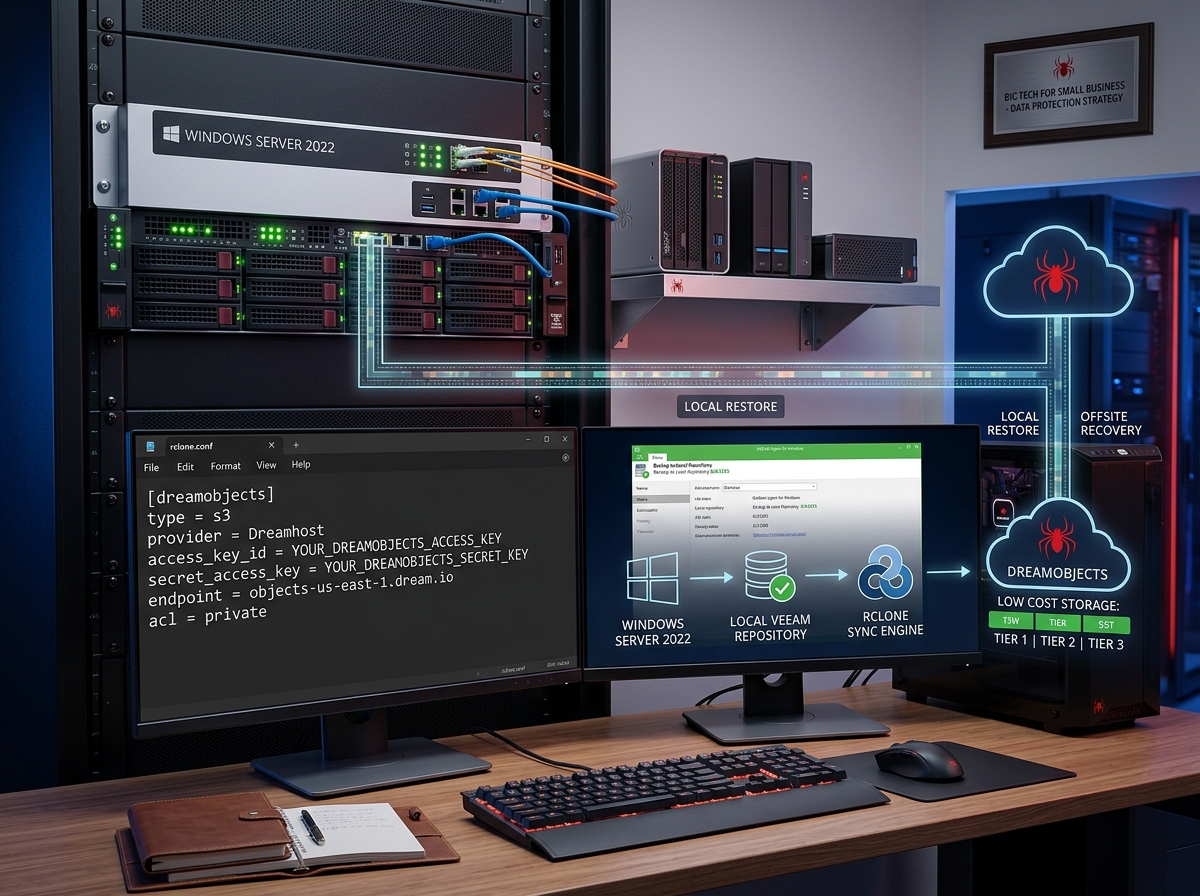
Cloud Offsite Simplified with DreamObjects
Pairing Veeam, Rclone, and DreamObjects for Budget-Friendly Windows Server 2022 Backups
Completing the Offsite Backup Piece
A local backup strategy protects against disk failures, but full operational resilience requires keeping a secondary copy offsite. High cloud egress fees and complex storage pricing models often deter small businesses from offsite replication. Combining Veeam Agent for Windows with Rclone and DreamHost’s DreamObjects delivers a high-performance, cost-effective offsite backup pipeline.
The Architecture: Local Backups to S3 Cloud Storage
- Veeam (Local Agent): Handles image-level server backups on Windows Server 2022, creating compressed, application-consistent restore files locally.
- Rclone (Sync Engine): Acts as a lightweight bridge, transferring local Veeam backup files to remote object storage via encrypted sync jobs.
- DreamObjects (S3 Destination): Provides affordable, S3-compatible cloud storage with predictable tier pricing and zero high-cost enterprise lock-ins.
Simple Implementation Steps
- Configure Local Veeam Backup: Set Veeam to write daily incremental backups to a local disk or RAID array.
- Set Up Rclone: Download the Rclone binary for Windows and define your DreamObjects remote target in the configuration file.
- Automate Sync via Task Scheduler: Schedule a post-backup batch script or Windows Task Scheduler job running
rclone syncto push updated restore points offsite automatically.
Example Configuration: rclone.conf
Here is a template for setting up Rclone with DreamObjects on your server:
[dreamobjects]
type = s3
provider = Dreamhost
access_key_id = YOUR_DREAMOBJECTS_ACCESS_KEY
secret_access_key = YOUR_DREAMOBJECTS_SECRET_KEY
endpoint = objects-us-east-1.dream.io
acl = private
Why This Approach Wins for Small Business
- Predictable Operational Costs: Both Veeam and Rclone are free, leaving cloud storage as your only recurring expense.
- Automated Reliability: Rclone transfers only newly created or modified Veeam backup blocks, keeping network bandwidth utilization low.
- Complete System Recovery: Retaining local Veeam restore points guarantees instant local recoveries, while the DreamObjects cloud copy guards against physical site disasters.
Key Takeaway:
Pairing Veeam’s server backup capabilities with Rclone and DreamObjects satisfies the offsite requirement of the 3-2-1 strategy cleanly and affordably.